
If your Umrah taxi card payment is declined, pause before trying several more cards or asking another relative to pay. First identify what the screen actually said and whether the result is clear. A definite decline, an unfinished bank approval and a lost connection after submitting payment are different problems. They should not all lead to the same immediate retry.
Your aim is one correctly described journey and one understood payment outcome. Work out whether the cardholder needs the bank’s help, whether a required approval was incomplete or whether the transport seller needs to clarify an uncertain transaction. Only then decide whether to resume checkout or use another payment option that the actual checkout accepts.
This guide starts when payment has failed or become unclear. It does not replace our Umrah transfer checkout guide, which covers checking the journey and traveller details before paying. Nor does it assume a payment receipt means a vehicle has been confirmed. The financial and operational stages remain separate.
Read the result before changing anything
Note the wording you can see, the amount, currency and approximate time. If an error identifies a field you entered incorrectly, review that field within the genuine checkout. If it simply says the payment was declined, do not invent a reason from the fact that your card worked for a different purchase earlier.
If the page closed, froze or lost its connection without giving a result, describe it as uncertain. You may not know whether the submission reached the payment system. Reopening the search and making a completely new purchase immediately could introduce another transaction without resolving the first one.
Keep the journey information available while you investigate: places, date, passengers and the account or email used. Record any reference the checkout actually supplied, but do not assume a particular error number or payment identifier will be displayed. You can explain an unsuccessful attempt without inventing technical details that were never shown.
Tell other family helpers that the payment outcome is being checked. A second person paying from their own device may make the picture harder to understand. Agree who is handling this attempt, while somebody else can review the travel facts. A calm division of tasks is more useful than several simultaneous experiments.
Check the booking side and the bank side
Independently open the account or genuine seller records available to you and check for a journey or payment message matching the attempt. Use the email address you entered, including its relevant folders. The absence of one email does not establish a complete financial outcome, particularly when your connection was interrupted.
Check the bank’s own app or statement through its usual secure route. Note whether it shows a transaction as pending or completed, using the bank’s actual wording. If the description is unfamiliar, ask the bank and seller about the specific entry. A merchant description alone should not be used to guess which of several family bookings it represents.
Stripe’s explanation of card authorisation distinguishes approval from the later movement of funds. It explains that a pending authorisation can reduce available funds and may disappear if the transaction is not completed. This is general payment context, not a diagnosis of your Pilgrim Taxi attempt or a promise about when a bank entry will clear.
If seller and bank records appear inconsistent, ask the seller to clarify the attempt before making another payment. Provide the time, amount, currency and journey information through its genuine contact route. The bank can explain its own entry, while the seller can investigate its record. Neither conversation should be replaced by a guess based on a single screenshot.
A clear card decline: involve the cardholder
When the result is a definite decline, the cardholder should check the card’s own status and contact its issuer if the reason is unclear. A card may have a restriction, unavailable credit or another issue, but you should not assume which applies. The amount in a savings account is not necessarily the amount available to that particular card.
Explain the actual online purchase, amount, currency and attempt time to the issuer. Ask what it can establish about the decline and what action is required before another attempt. Use the bank’s genuine contact channel. Avoid relying on a telephone number in an unrelated message offering to unblock a travel payment.
Do not repeatedly submit unchanged details simply because the family needs the journey. A series of attempts can make your own record confusing and does not answer the underlying question. If the issuer gives instructions, follow those for your card. If the seller’s checkout gives a clear correction, address that correction within the real checkout.
If the issuer cannot identify the transaction, tell the seller that accurately and give the error wording you retained. An issuer conversation does not prove the fault is at the seller, just as a checkout decline does not identify the bank’s precise reason. The next useful step is clarification of the actual attempt.
When bank authentication was not completed
Some online payments require the cardholder to approve the purchase through their bank’s process. If that happens, read the instructions presented for this attempt rather than using a remembered sequence from another retailer. Authentication methods differ, and this guide does not claim that every card or every Pilgrim Taxi transaction will display the same approval screen.
The person who owns the card should complete their bank’s approval themselves. If an organiser is paying for parents with the organiser’s own card, it is their banking process that matters. The traveller’s name on the journey should not be substituted for the cardholder’s payment information merely because the traveller will be collected.
If you switch from the browser to a banking app, keep track of which purchase you are approving. Read the amount and currency shown and return as instructed. Avoid treating a bank-app approval notification as the final seller result. You still need to establish what the checkout reports after the bank step.
NatWest International documents one specific authentication error caused by repeated confirmation taps on its 3D Secure screen. That example illustrates why you should follow your own issuer’s instructions instead of repeatedly pressing controls. It is not a universal explanation or a statement that Pilgrim Taxi uses that bank’s screen.
If the required approval cannot be completed because the cardholder lacks access to their bank’s service, contact the issuer about its available process. Do not pass authentication codes or banking access to another helper to finish it for you. An alternative payment method may be practical, but only after you understand the first attempt’s outcome.
Review entered payment details carefully
Check the details requested by the actual payment form against the cardholder’s current information. Autofill can use an old card or address. If the card has been renewed, look at which one the browser selected. Correct only the information the genuine checkout requires; additional private information sent to the booking team is not a substitute.
Distinguish the contact for the booking from the cardholder’s payment information. The relative organising transport, the traveller and the person funding it can be different people. Use each role where the checkout requests it, rather than changing all names to one person in an attempt to make an unexplained decline disappear.
A familiar card that succeeds in a shop can still need a different approval for an online purchase. Do not infer that the website must accept it simply because it was recently used elsewhere. Ask the issuer about this attempt and read the methods the checkout currently offers. This article does not guarantee acceptance of a particular card brand or country.
Amount, currency and available funds
Read the currency code shown at payment, not just the number. If the family discussed a budget in pounds but the checkout now shows riyals, compare the intended purchase carefully before continuing. Currency choice and the bank’s conversion are separate matters. Changing currencies at random does not establish why the earlier attempt failed.
Ask the issuer about any applicable conversion or card restriction when it matters to your decision. Use its current information for the card, rather than a general exchange-rate estimate. Keep the seller’s requested amount in its displayed currency in your attempt record, even if the bank presents another figure to the cardholder.
A pending entry from an uncertain attempt may affect funds available for a new one. Ask the bank how it treats that specific entry instead of assuming the money is immediately free to use again. This guide supplies no universal release period and no guarantee that a later attempt will succeed.
If you choose another card that you are authorised to use, decide who will complete that transaction. Check that the original attempt is understood and that nobody else is also paying. Funding the journey from a different account should not silently create a second booking managed through an unrelated email address.
A connection problem is not automatically a decline
If the browser loses connection after you submit, preserve the approximate point at which that happened. Was it before entering payment details, during bank approval or after returning from approval? You do not need to know the internal system flow. The visible sequence can help the seller understand why you are asking about an uncertain result.
When connectivity is restored, check the retained records first. Avoid copying the journey into several new browsers and devices while the first attempt remains unresolved. A fresh browser may let you access the seller again, but it does not tell you what happened to a previous transaction.
For a display or connection issue, use the seller’s appropriate support guidance. You can describe the browser or device and the visible error without sending a screen containing private payment details. Do not disable banking safeguards or follow an unofficial instruction to send card information elsewhere simply to get around a problem.
If you do start a new attempt after clarification, identify it in your own notes as a new attempt rather than overwriting the earlier history. Keep the amount, currency and time of each. That lets you ask a precise question later if a bank entry appears after the page you thought had failed.
Send a useful support enquiry
Explain whether you saw a decline or received no definite result. Supply the attempted journey, account email, time and amount in the currency displayed. Include any genuine booking reference you have and the error wording. Ask whether there is an existing transaction or journey you should resolve before trying again.
Do not attach an unredacted bank statement covering unrelated purchases. If the seller asks for specific payment evidence, follow its secure submission instructions and provide only what is relevant. Never send a security code, full card number or bank authentication code as a troubleshooting shortcut.
Keep the cardholder available for their own bank enquiry. The transport organiser may be able to clarify the journey, but a relative cannot necessarily discuss another person’s card with its issuer. Tell the seller if the cardholder is handling that part, so it understands why a banking answer may arrive separately.
If the pickup is approaching while you investigate, explain the real date to the booking team and ask what supported options remain. Do not enter a later false pickup time just to make the search accept a journey. A successful payment for an inaccurately described transfer would not solve the traveller’s actual need.
A fictional example: approval on a different phone
In this fictional example, Farah is arranging a Madinah departure for her aunt. She reaches payment on her laptop using her own card. The payment requires action in her banking app on her phone, but she closes the browser before a final result appears. She does not know whether the purchase completed.
Farah tells her cousin not to pay from a separate basket. She records the amount, currency and time, then checks the genuine seller records and her own banking app. A pending bank entry is present, but she cannot match it to a completed journey. She describes the result as uncertain rather than calling it a definite decline.
She contacts the seller with the journey and attempt details, asking whether an existing transaction needs clarification. She asks her bank about the pending entry through its usual channel. These questions concern different records. Neither Farah nor her cousin promises the aunt a car solely because the bank app shows an amount.
After the outcome is clarified, Farah follows the relevant instructions for the next step. If another attempt is required, she reads the current journey again and completes the bank approval process as directed. She then checks the actual seller result. The example illustrates sequencing, not a guaranteed resolution or release time.
Recheck the journey before resuming payment
Time spent troubleshooting may leave an old search or basket open. Read the current pickup date, local time, destination, travellers and luggage again. Confirm that the price and currency displayed are the ones you now intend to accept. An earlier screenshot is not proof that a current offer remains unchanged.
If another relative takes over paying, explain whether they are funding the same organiser’s request or creating a new request. Keep one agreed organiser and email for the travel records where appropriate. A change of payer should not accidentally change the passenger contact or the journey date while everyone focuses on the card problem.
Our duplicate journey guide applies if you find two actual records. Do not cancel either merely because two bank entries look similar. First establish the journeys and their states through the seller, then use the relevant process for any duplicate. A pending authorisation and a second booking are not interchangeable descriptions.
Prepare a workable payment arrangement for later legs
If the organiser will be on a flight or unable to access their bank during later planning, decide in advance who can make a legitimate new purchase. That person should have their own authorised funding method and the correct travel brief. Do not make the arrangement depend on sending another person’s password or approval code across a family conversation when a problem arises.
Keep funds for the trip’s ordinary expenses separate in your planning from money tied up in an unresolved card entry. Ask the issuer about the actual position before relying on it for another purchase. You need a practical way to meet an agreed cost, but that does not require guessing whether a pending amount will become available before the next departure.
After this attempt is resolved, record which detail or process needed attention, if the bank or seller established it. A corrected expired card selection is useful to remember; an unexplained decline should remain unexplained. Do not teach the family a supposed workaround from one ambiguous experience, especially one involving repeated submissions or a different recipient.
After the payment result is clear
Keep the final payment record alongside the relevant journey. Our receipt and booking confirmation guide explains why these documents answer different questions. Tell the traveller the operational status you have actually received, rather than calling a payment successful and assuming the rest of the arrangement is complete.
If a bank entry remains unexplained after the seller clarifies its record, continue the specific bank enquiry with the information provided. Keep private financial correspondence separate from the passengers’ pickup message. They need the agreed journey, contact and meeting instruction, not a bundle of abandoned attempts and payment screenshots.
For a genuinely new transport request, start with Pilgrim Taxi’s ride finder and follow the current checkout requirements. Choose one payer, keep the cardholder available for any bank step and investigate an uncertain result before another transaction. The goal is an understood payment connected to a journey the booking team has actually confirmed.
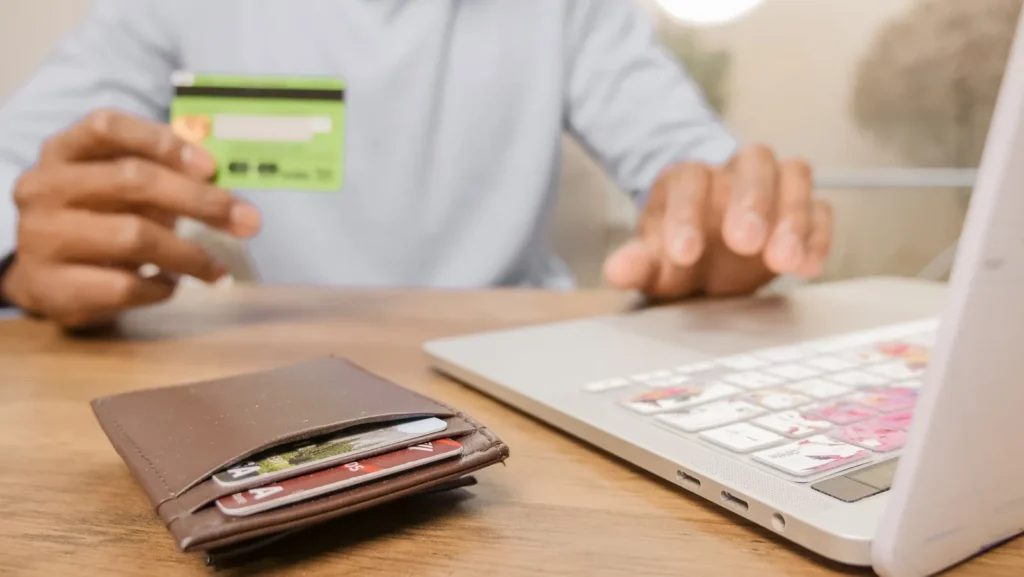
Photo: Kindel Media / Pexels, under the Pexels licence. Generic card and laptop illustration; not a customer, Pilgrim Taxi checkout or a declined transaction.